Thumbtile
Hold your mouse's thumb button, point at a zone on any monitor, let go. The window snaps there. Everything on this page is free to use in coverage, reviews and videos.
Writing about it or making a video? Email hello@fallscitylabs.com for a free Pro key. Usually answered the same day.
Demo video
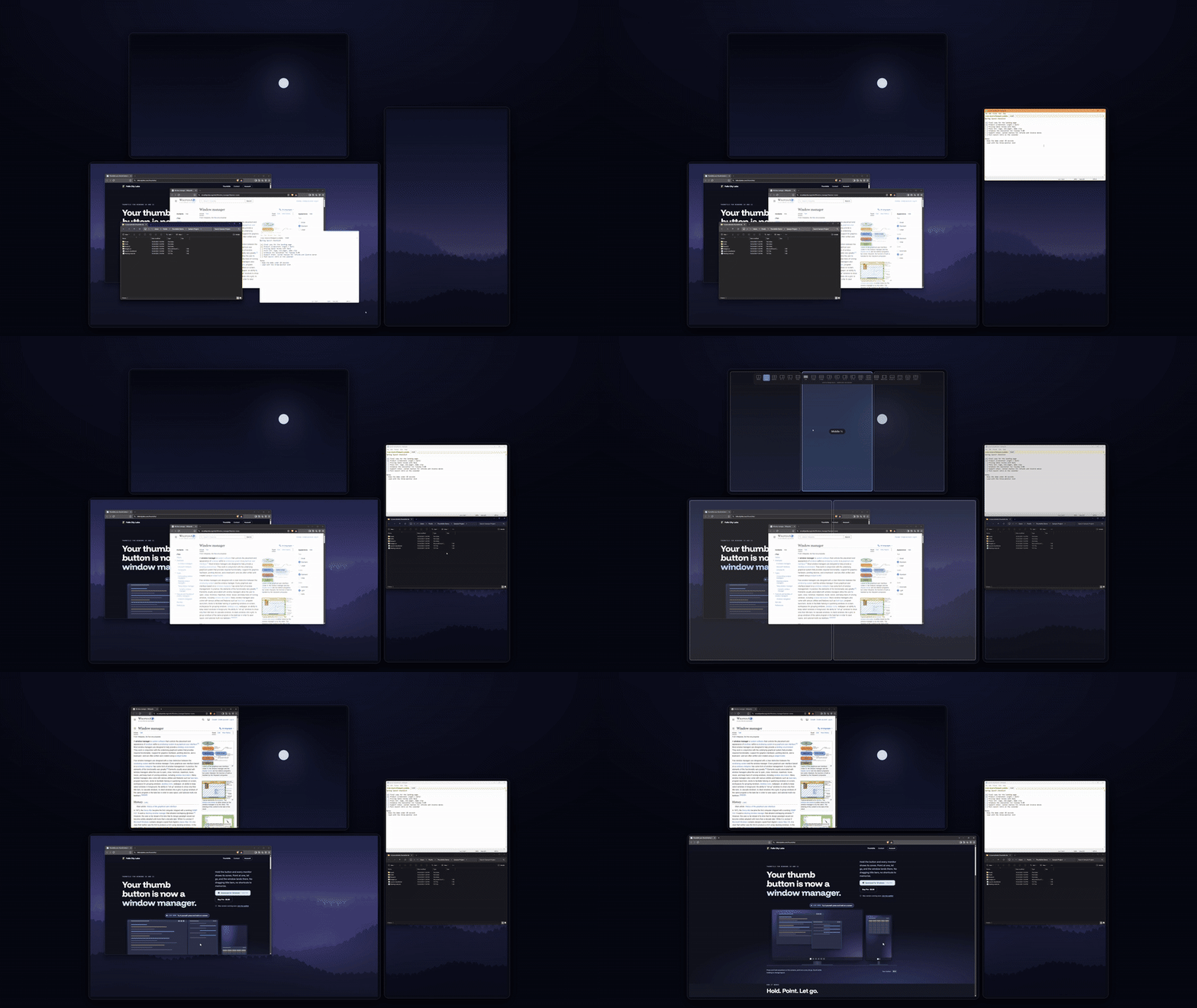
17 seconds of the real app on a three-monitor desk (landscape, a second screen above, portrait to the right): hold, point, scroll to change the layout, tap to maximize.
Fact sheet
- Product
- Thumbtile, a window manager for Windows you drive with a mouse button
- Developer
- Falls City Labs, an independent software studio
- Released
- October 24, 2026 (version 1.0.1)
- Platform
- Windows 10 and 11. Mac version in development.
- Price
- 7 days free with everything unlocked, then Thumbtile Pro for $7.99 one-time ($5.99 at launch). Up to 3 PCs. No subscription.
- Works with
- Any mouse with a thumb button: Back and Forward work with no other software. Logitech MX Master 4, 3S and 3 via the gesture button or Actions Ring. A held keyboard key such as Right Ctrl also works.
- Privacy
- Runs locally. No account, no usage tracking. Signed installer.
- Website
- fallscitylabs.com/thumbtile
- Contact
- hello@fallscitylabs.com
Descriptions
One line
Thumbtile turns your mouse's thumb button into a window manager: hold it, point at a zone on any monitor, and let go to snap the window there.
Short
Thumbtile is a small Windows app that snaps windows without dragging. Hold a thumb button (or a key like Right Ctrl) and snap zones appear on every monitor at once. Point at one and release, and the window under the cursor lands there. Scroll while holding to switch layouts, tap to maximize, and middle-click to send a window to the next monitor. On the Logitech MX Master 4, the haptic motor ticks as you cross each zone.
Long
Most window snapping on Windows still starts with dragging a title bar. Thumbtile skips that step. Hold your mouse's thumb button and zones appear on every monitor together, with a layout strip on the screen you're pointing at. Point at a zone and let go: the window under the cursor snaps into it, on any monitor. Roll the scroll wheel while holding to change layouts, from halves and thirds to quarters and focus layouts, with 21 landscape and 16 portrait layouts that each monitor remembers on its own. A quick tap maximizes the window and a second tap restores it to a tidy centered size. Middle-click while holding throws the window to the next monitor. Thumbtile works with any mouse that has Back and Forward buttons, with the gesture button and Actions Ring on Logitech MX Master mice through Logi Options+, or with a held keyboard key. On the MX Master 4 it uses the mouse's haptic motor for a soft tick at each zone and a click when a window lands. It runs from the system tray with no account and no usage tracking, can move elevated windows like Task Manager, and steps aside automatically when a full-screen game is in front. Thumbtile is free for 7 days, then a one-time $7.99 for Pro ($5.99 at launch), covering up to three PCs.
Screenshots
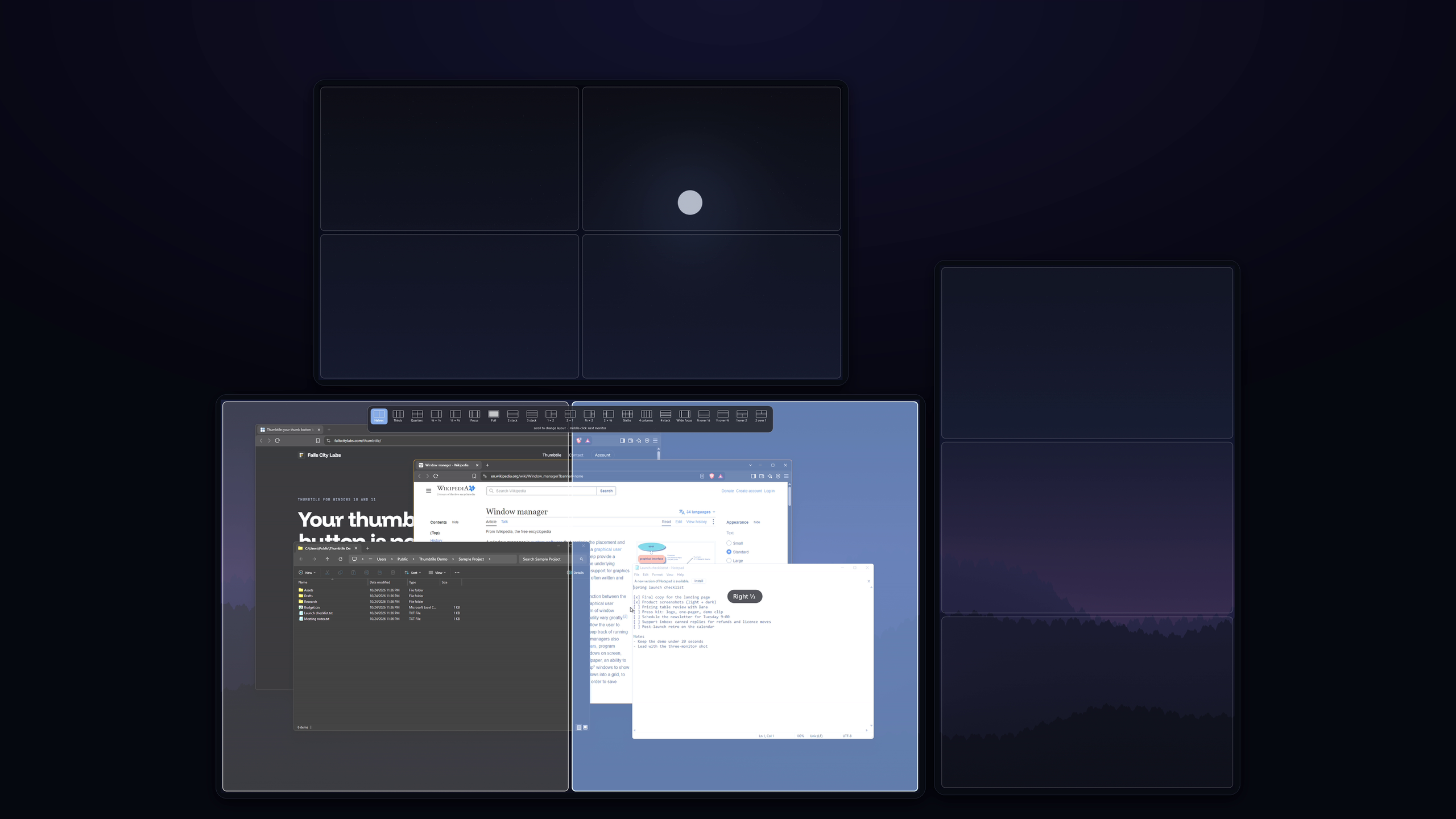
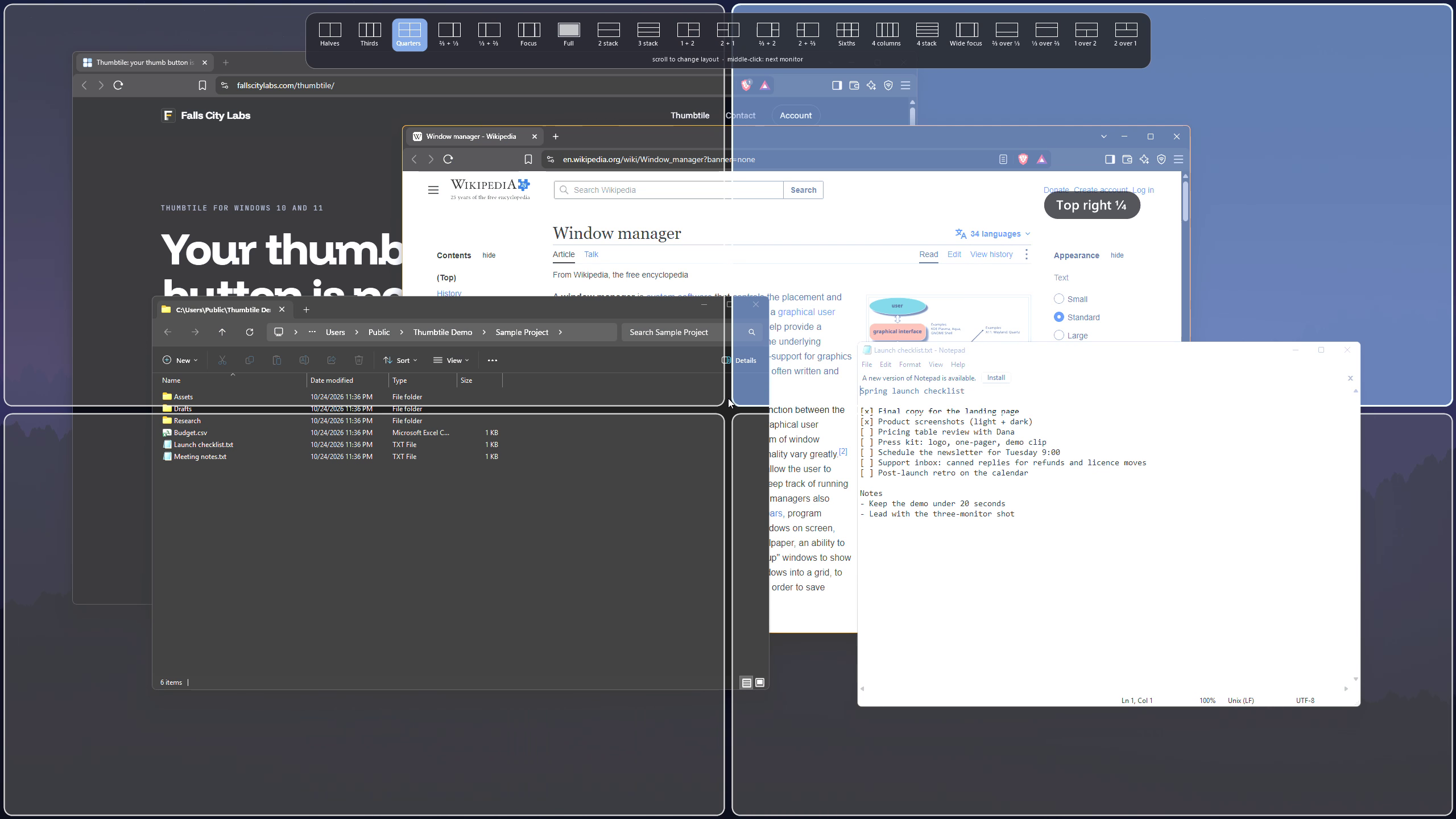
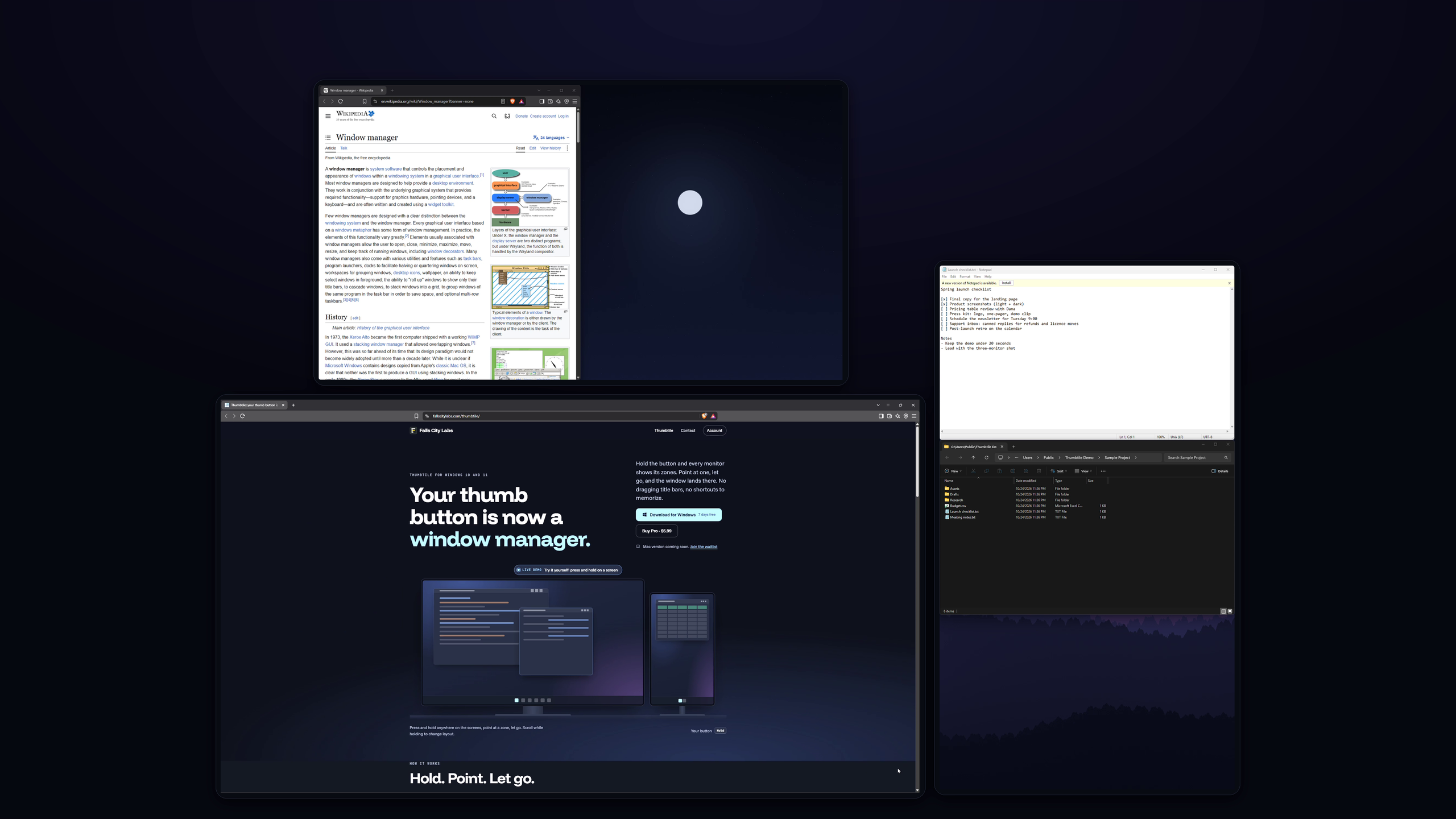
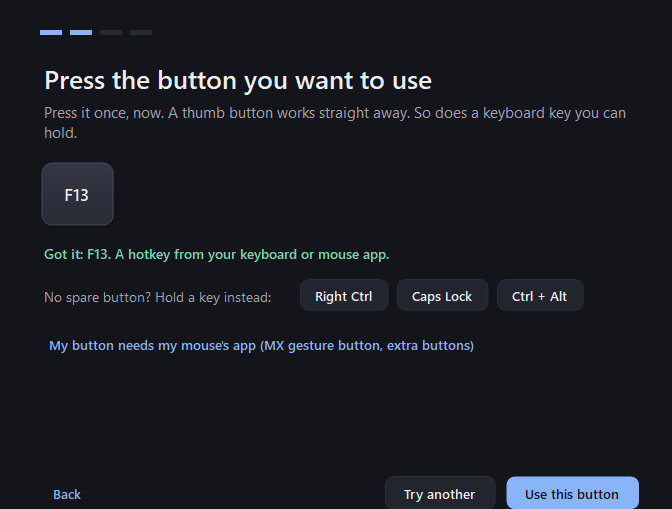
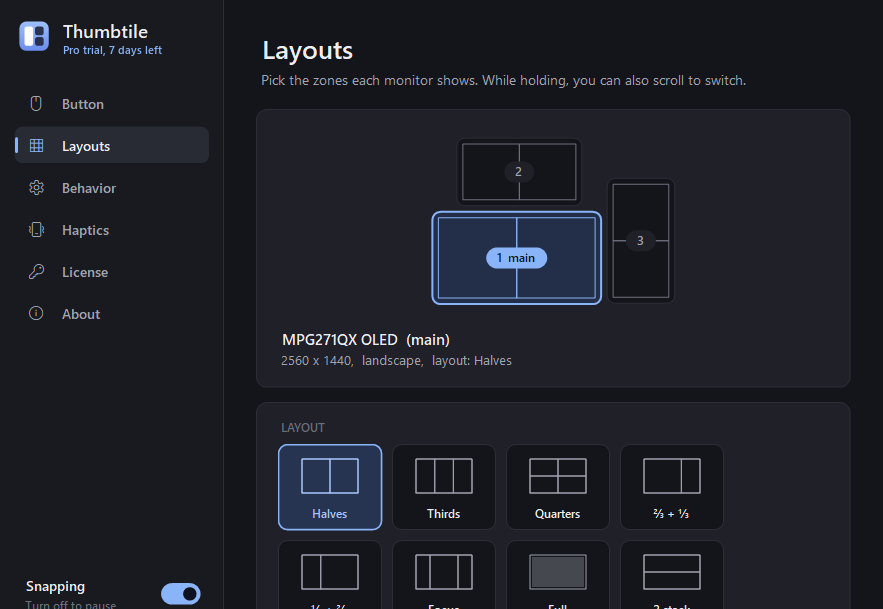
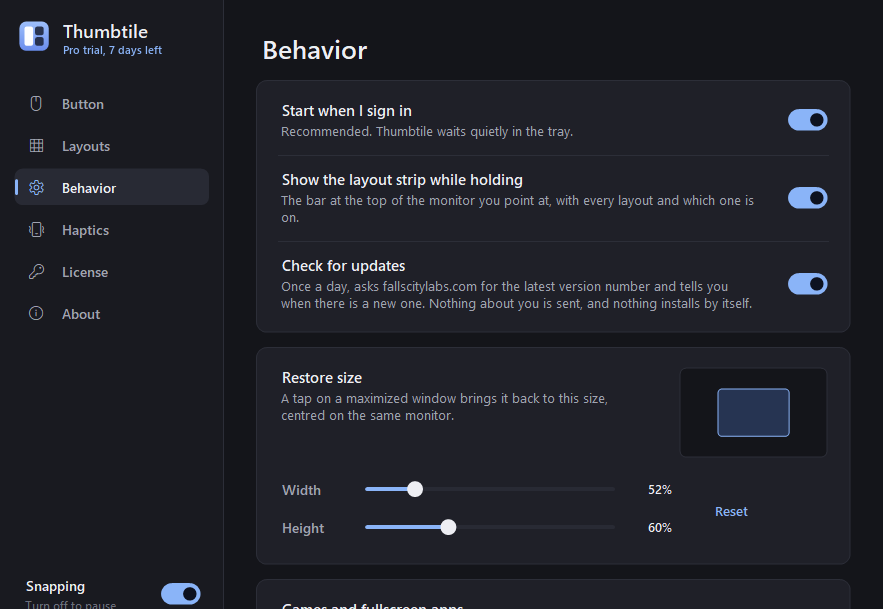
Every screenshot is the app itself: the top row on a three-monitor desk, the bottom row its settings. Full-size files open on click.
Logo

Logitech, Logi and MX Master are trademarks of Logitech Europe S.A. and/or its affiliates. Thumbtile is an independent product and is not affiliated with or endorsed by Logitech.