Many AI notetakers join your meeting as an extra participant. Everyone sees it arrive, the host may have to admit it, and the audio goes to someone else's servers.
Heiti does it from your side of the call. It records your own microphone and the sound your PC is already playing, then transcribes it on your computer. Nothing joins, and nothing is uploaded.
Free for Windows 10 and 11Nothing joins your callAudio stays on your PC
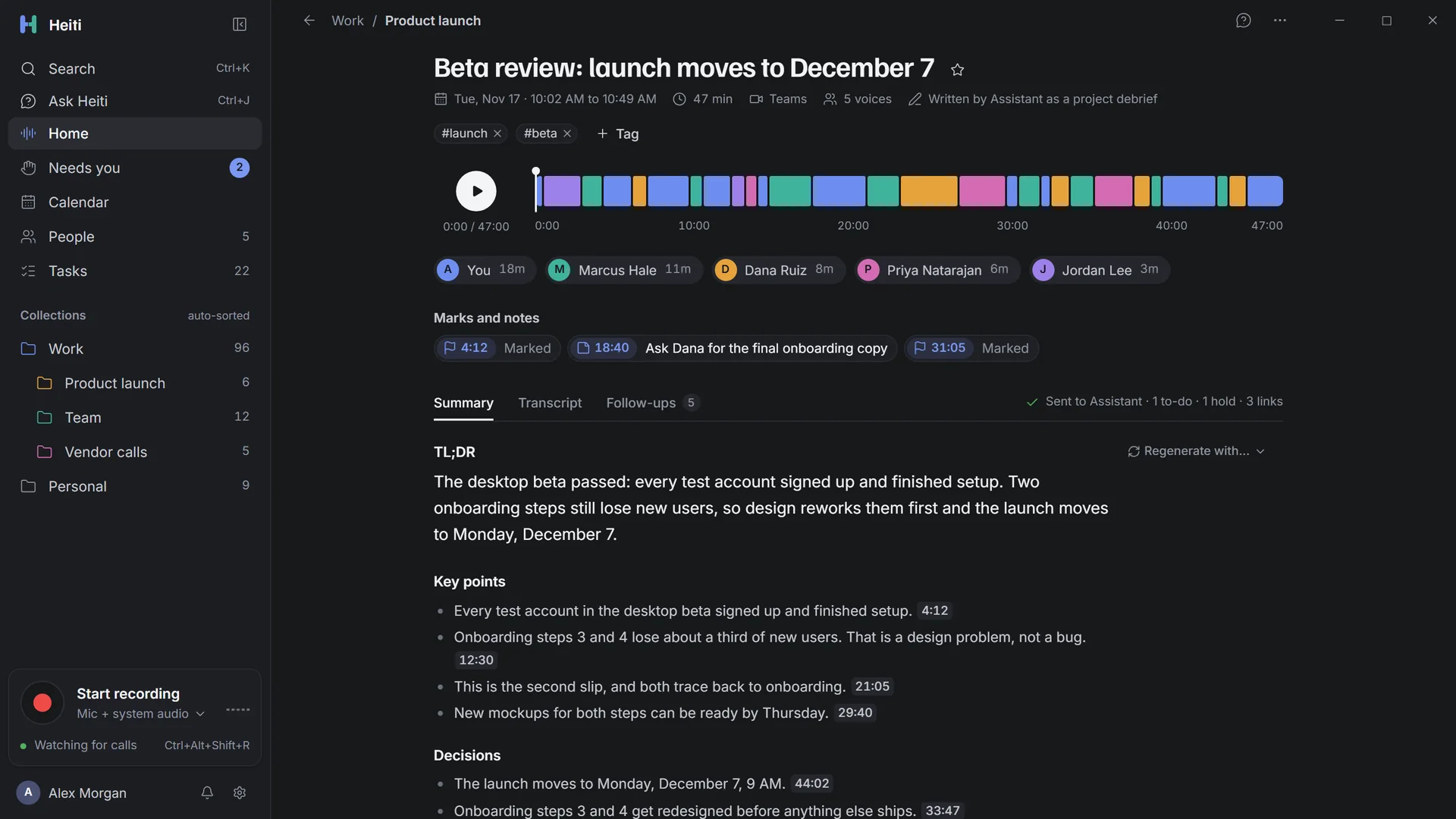
The app's own screen, filled with made-up people.
Why people stop using notetaker bots.
A bot in the participant list changes the meeting. Clients ask what it is. Some organizations block third-party notetakers from joining at all, and many hosts simply do not admit them.
A bot also means the recording lives in a vendor's cloud. For legal, finance, security, health and consulting work, that is often the end of the conversation.
Recording from your own PC avoids both. Heiti hears the same audio you hear, on the device you are already using, and keeps it there.
How to record a Teams, Zoom or Meet call without a bot.
This takes about two minutes the first time.
Install Heiti from the download page or the Microsoft Store and sign in with your email. The speech models download once, then transcription works offline.
Join your meeting as usual in Teams, Zoom, Meet or a browser. Tell people you are recording.
Press record. A red recording dock stays on screen for as long as Heiti is listening. Your microphone and the call's audio are kept on separate tracks, so it always knows which voice is yours.
Stop when the call ends. Heiti transcribes on your PC, separates the speakers and asks you to name any voice it does not know yet.
Get the notes. Your own agent, your API key or a local model writes the summary and the follow-ups. Or just read and search the transcript.
It also works when there is no call at all.
A bot can only join an online meeting. Heiti records from your microphone too, so a conversation across a table gets the same transcript, the same speaker names and the same notes as a video call.
After a couple of meetings, people you talk to often are named on their own, online or in the room.
Honest limits.
Heiti is a Windows app. There is no Mac, phone or web version today.
Heiti is not a bot, but it is still a recording. Your employer's recording policy and the consent rules where you live still apply.
Summaries are written by an AI you connect. If you connect a cloud provider, the meeting text you send goes to that provider under its terms. Use a local model and nothing leaves your PC.
What Heiti costs.
Free
Available now
$0
Free for good, on one PC
Record by hand and import
Unlimited local transcription
Speaker separation, with up to 5 people remembered
Dictation on a hotkey
5 AI summaries a month, on your key or a local model
Transcription is unlimited on both plans because it runs on your own PC. Summaries are written by the AI you connect, so there is no AI bill from us. Pro starts with 14 days free: a card is needed to start, nothing is charged until the trial ends, and cancelling before then costs nothing. Cancel Pro any time from your account. Refunds · Terms.
Before you ask.
Does anyone see Heiti in the participant list?
No. Heiti never joins the meeting. It records your microphone and the audio your PC plays, so there is nothing for the meeting app to list.
Does it work with Microsoft Teams, Zoom and Google Meet?
Yes. It works with any call you can hear on your PC, including calls in a browser, because it records the sound itself and does not depend on the meeting app.
My company blocks AI notetaker bots. Can I use Heiti?
Heiti joins nothing, so there is no bot to block. It is still a recording, and your employer's recording policy still applies. If you are not sure, ask first.
Does my audio leave my PC?
No. Recording, transcription and voice recognition all run on your computer. The only meeting content that can leave is text you choose to send to an AI provider for a summary, and it goes only to that provider.
How does it know who is speaking without the participant list?
By voice. Heiti separates the speakers in the recording, and when you name a voice once it recognizes that person in later meetings. Voices it is not sure about are shown as unknown and it asks you.
Who writes Heiti's summaries?
The AI you choose: the agent you already use, such as Claude Code or Codex, your own Anthropic or OpenAI key, or a model running on your PC. Free includes 5 summaries a month and Pro has no limit. Heiti does not bundle its own cloud AI, which is why your meeting text never passes through us.
What does it cost?
Heiti Free costs nothing and includes unlimited local transcription. Heiti Pro is US$9.50 a month or US$96 a year and adds call detection, unlimited voice memory, tasks and Ask Heiti. A first Pro subscription starts with 14 days free: you add a card, and nothing is charged if you cancel before the trial ends. See the plans.
Is there a Mac version of Heiti?
Not yet. Heiti is a Windows app today. The Mac version is built on request: ask for Heiti for Mac and we will email you when it is ready.
Recording laws differ by place, and some require everyone's consent. Heiti makes it easy to tell people you are recording; telling them is up to you.